

Overview
An Organization Admin may specify rules that apply to all sourcing sessions to ensure recruiter compliance with organization rules and best practices. Filters may be defined on ATS candidate fields to only permit sourcing candidates under certain conditions.Setting up Custom Rules of Engagement
In the example below, a rule is defined to exclude candidates from forbidden categories as defined in the bullhorn ATS. Once this rule is created, candidates from these forbidden categories will not be included in future sourcing session results.Require filters
The Require filters toggle controls whether recruiters can change these rules on a per-search basis (job sourcing and standalone sourcing behave the same way):- On (default if the organization has never saved this setting): Rules of Engagement filters always apply.
- For dropdown Exclude lists, recruiters can select additional values to exclude but cannot remove the values set here.
- For dropdown Include lists, recruiters can add or remove only among the values set here. They cannot include values outside that set.
- Recruiters cannot add new ATS fields, delete a required filter, or switch Include ↔ Exclude. Non-dropdown ATS filters and Last Note Date stay locked.
- Off: the same filters are applied as defaults, and recruiters can edit or remove them per search.
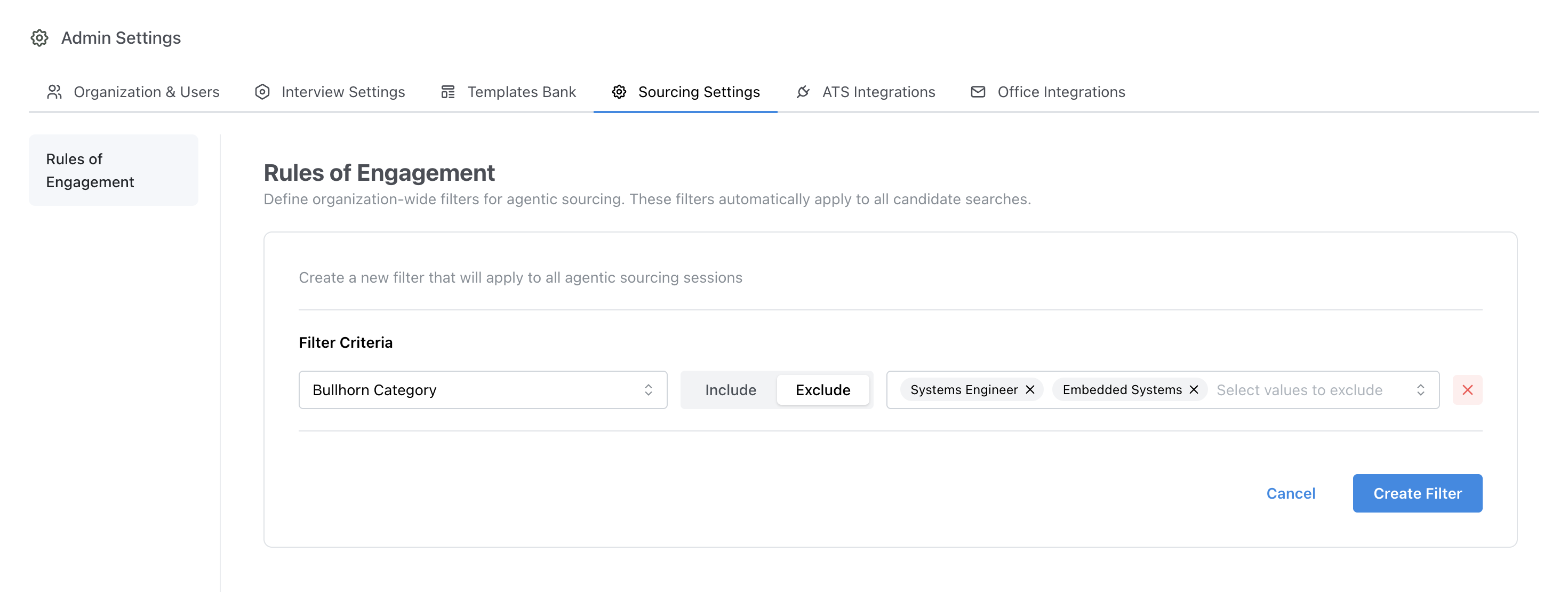
Admin > Sourcing Settings > Rules of Engagement
Last Note Date Filter
In addition to metadata field filters, organizations can filter candidates based on when their most recent note was created in the ATS. This is useful for controlling whether recently contacted candidates appear in sourcing results.Filter Modes
- Exclude: Hide candidates whose last note falls within the specified date range. Candidates with no notes are still included in results.
- Include: Only show candidates whose last note falls within the specified date range. Candidates with no notes are excluded from results.
Configuration
The filter is configured using two fields:- min_days: The minimum number of days ago the last note must have been created
- max_days: The maximum number of days ago the last note must have been created
min_days or max_days must be specified.
Use Cases
- Exclude recently contacted candidates: Set mode to Exclude with
max_days = 90to hide candidates who have a note from the last 90 days. - Target candidates not touched in a while: Set mode to Include with
min_days = 180to only show candidates whose last note is older than 180 days.
Behavior Notes
- Only one Last Note Date filter can be configured per organization.
- When Require filters is off, this filter applies as a default and can be overridden on a per-search basis. When Require filters is on, recruiters cannot change it.
- Candidates with no notes in the ATS are included when using Exclude mode and excluded when using Include mode.
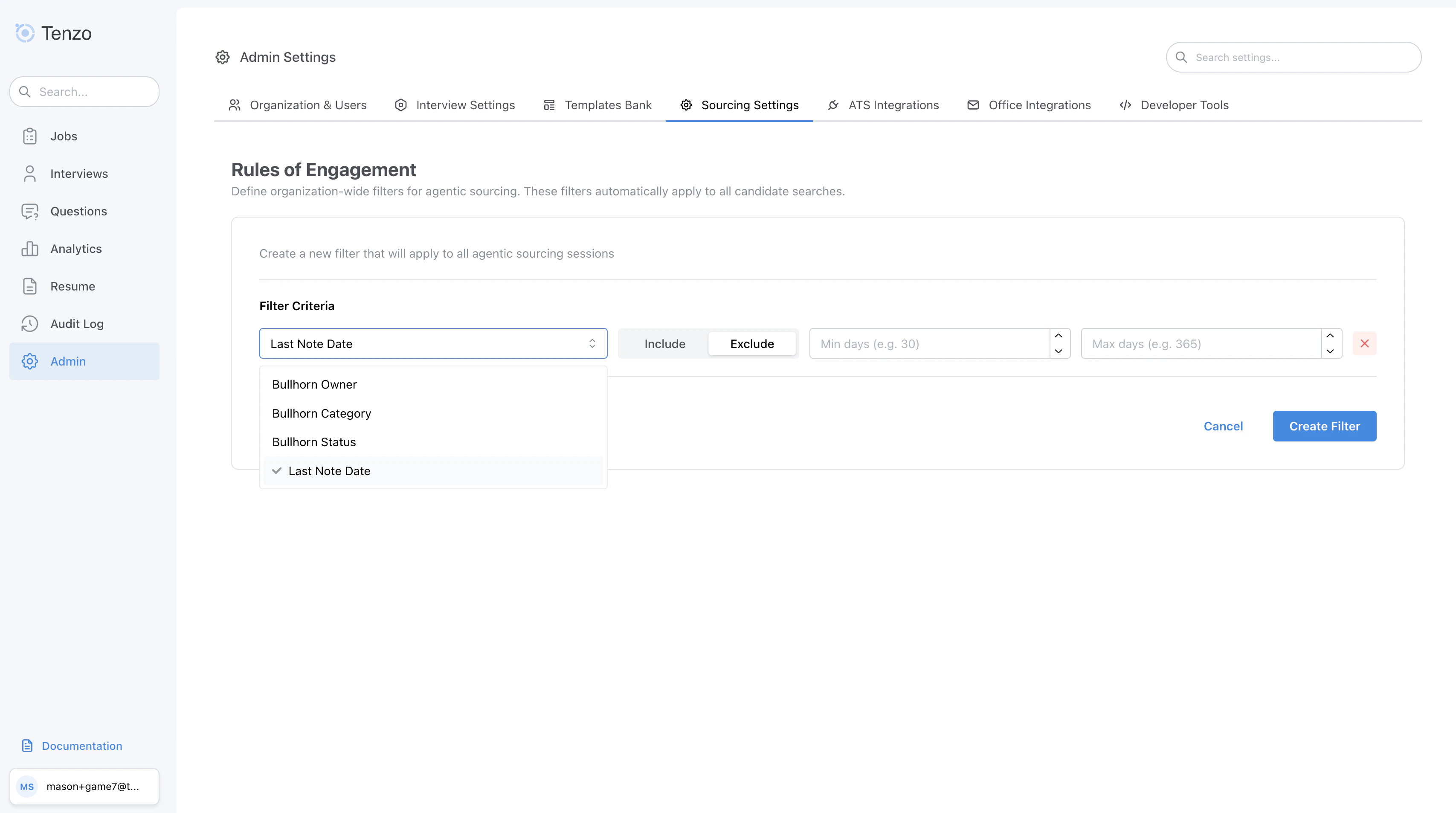
Admin > Sourcing Settings > Last Note Date Filter