

Script Generation Templates
Script Generation Templates allow you to customize how Tenzo’s AI generates interview scripts for your recruiters. Script generation may be triggered from the dashboard when creating a new role, re-run to re-generate for an existing role, or, most commonly during an ATS sync if the rules are configured for “Script Generation” (instead of a fully pre-configured interview template). Providing additional guidelines for the AI during generation can help ensure that the initially generated interviews are as close as possible to what a recruiter would have created manually. You can provide instructions in two layers:- Overall Instructions: Global guidance that is included across all script generation scenarios.
- Section-Specific Instructions: Optional guidance for individual generated components.
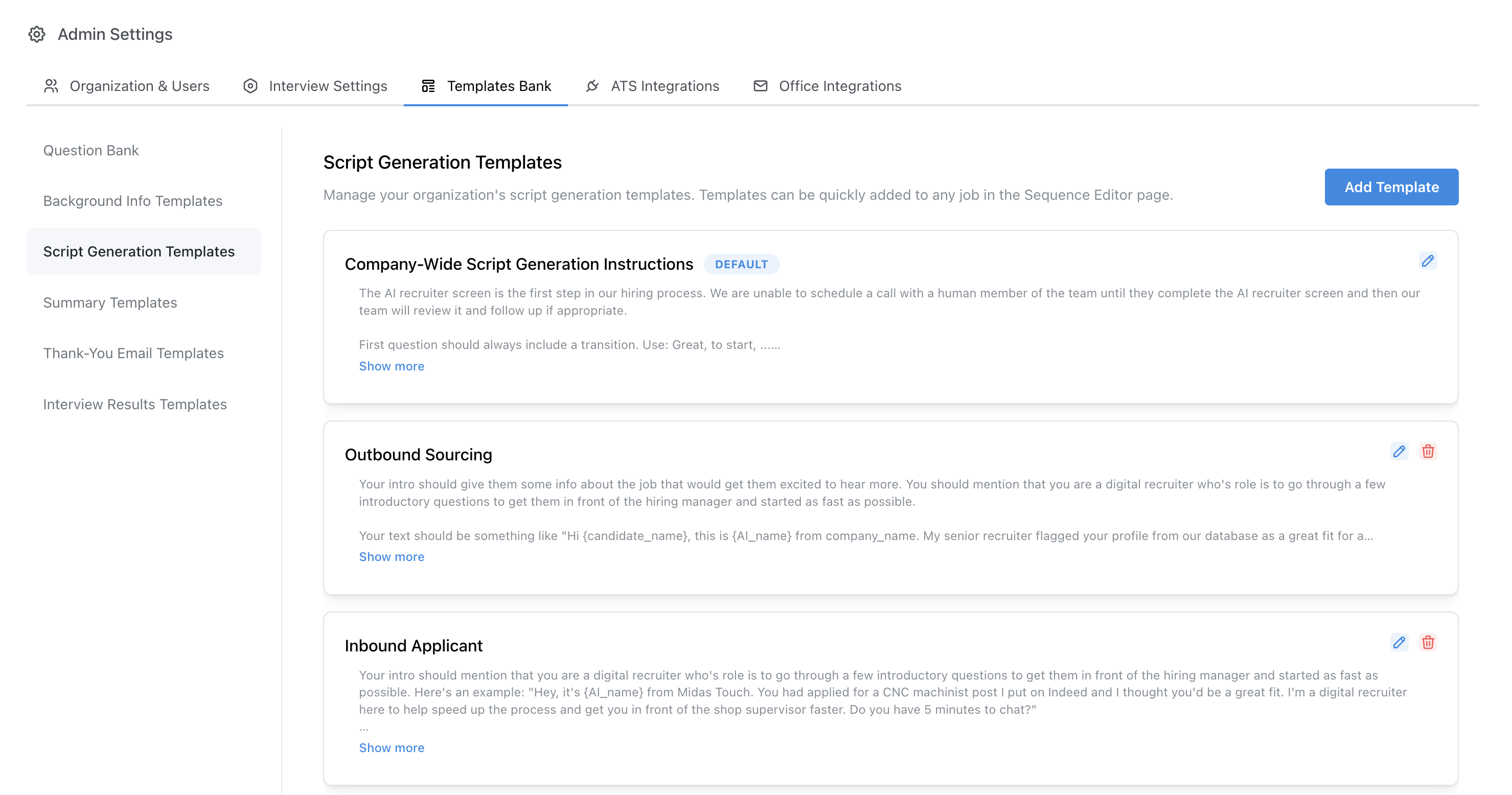
Admin Settings > Script Generation Templates > Edit Template
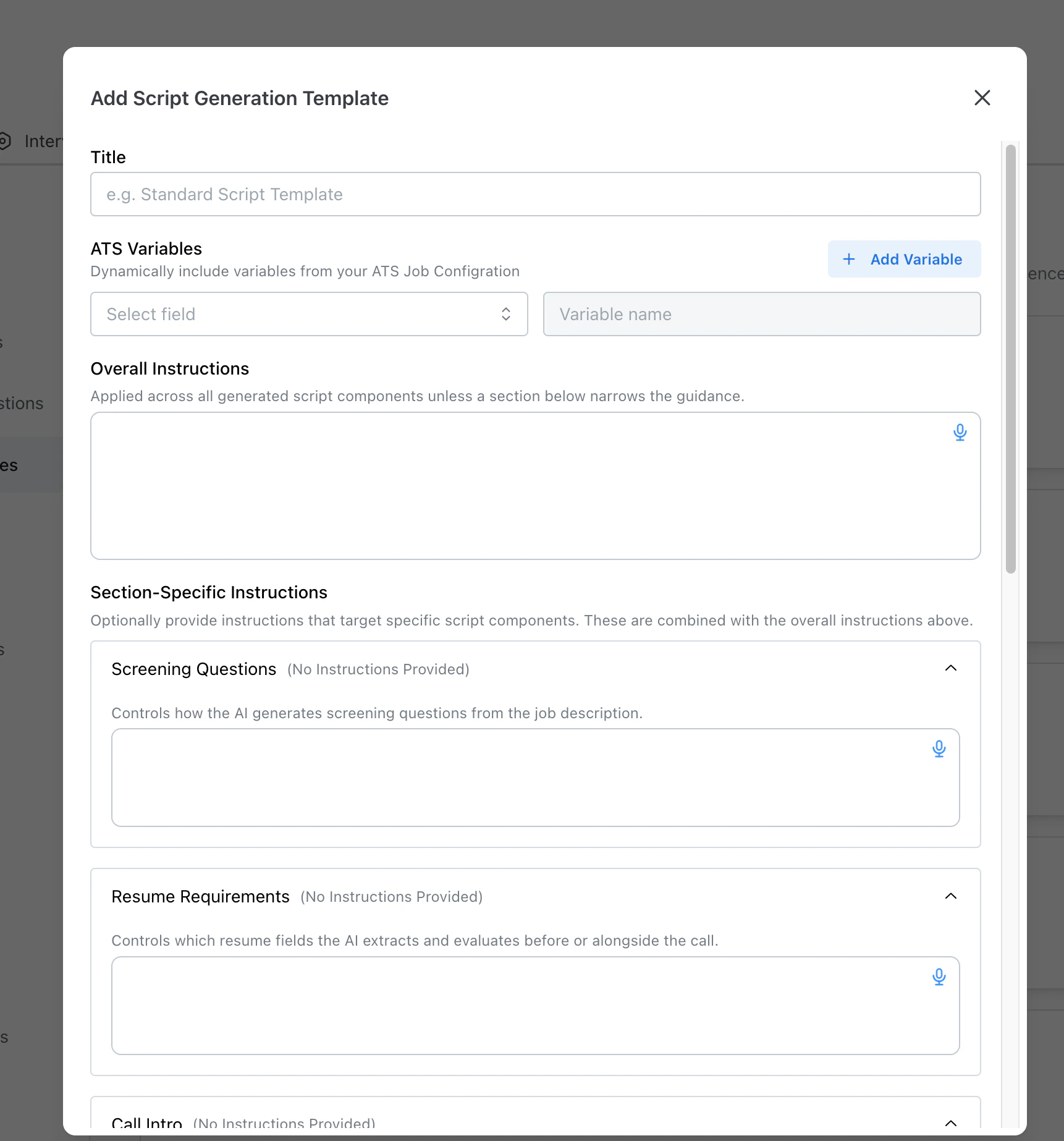
Template form — Overall Instructions, Screening Questions, Resume Review Requirements
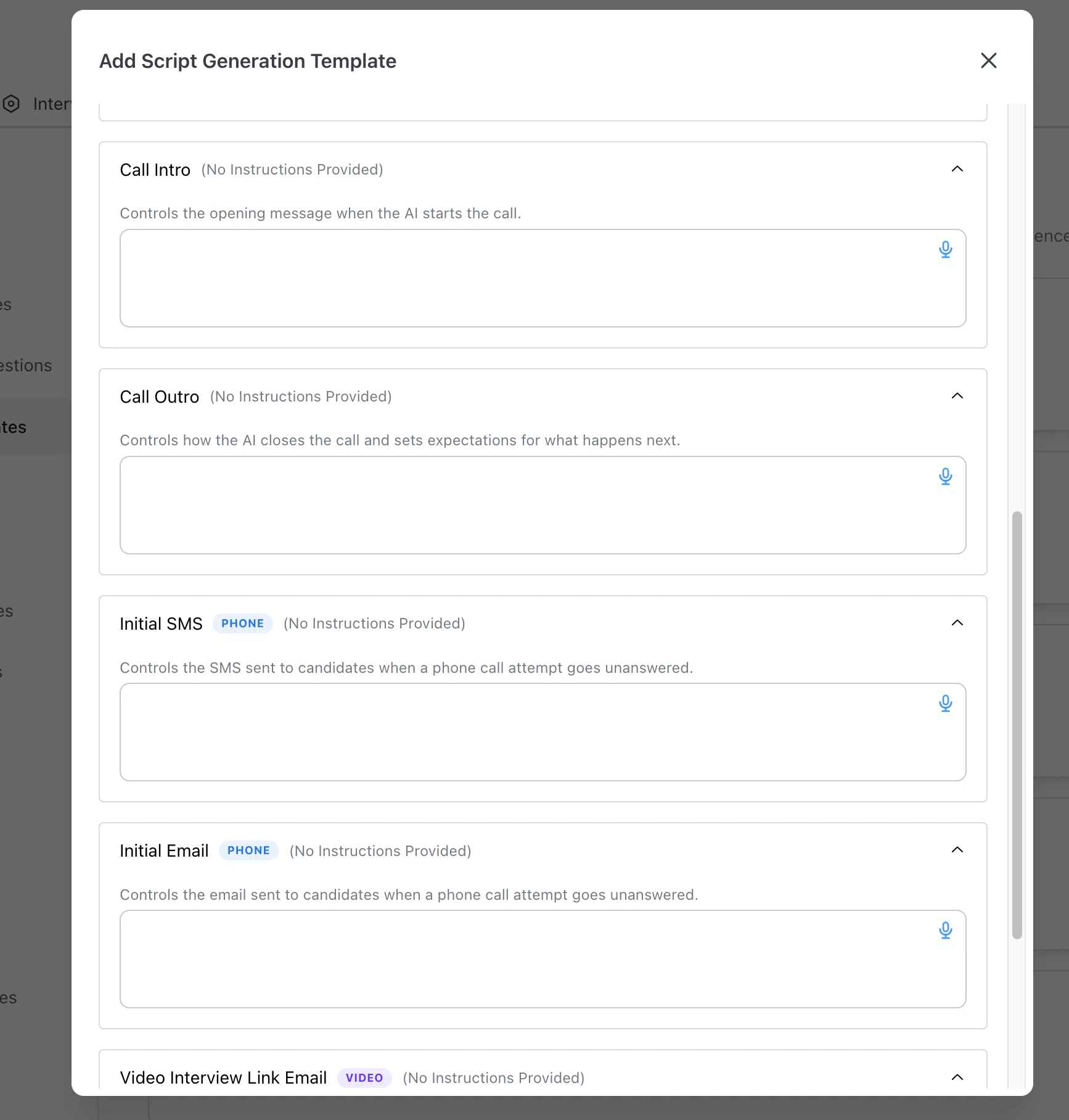
Template form — Call Intro, Call Outro, Initial SMS, Initial Email, Video Interview Link Email
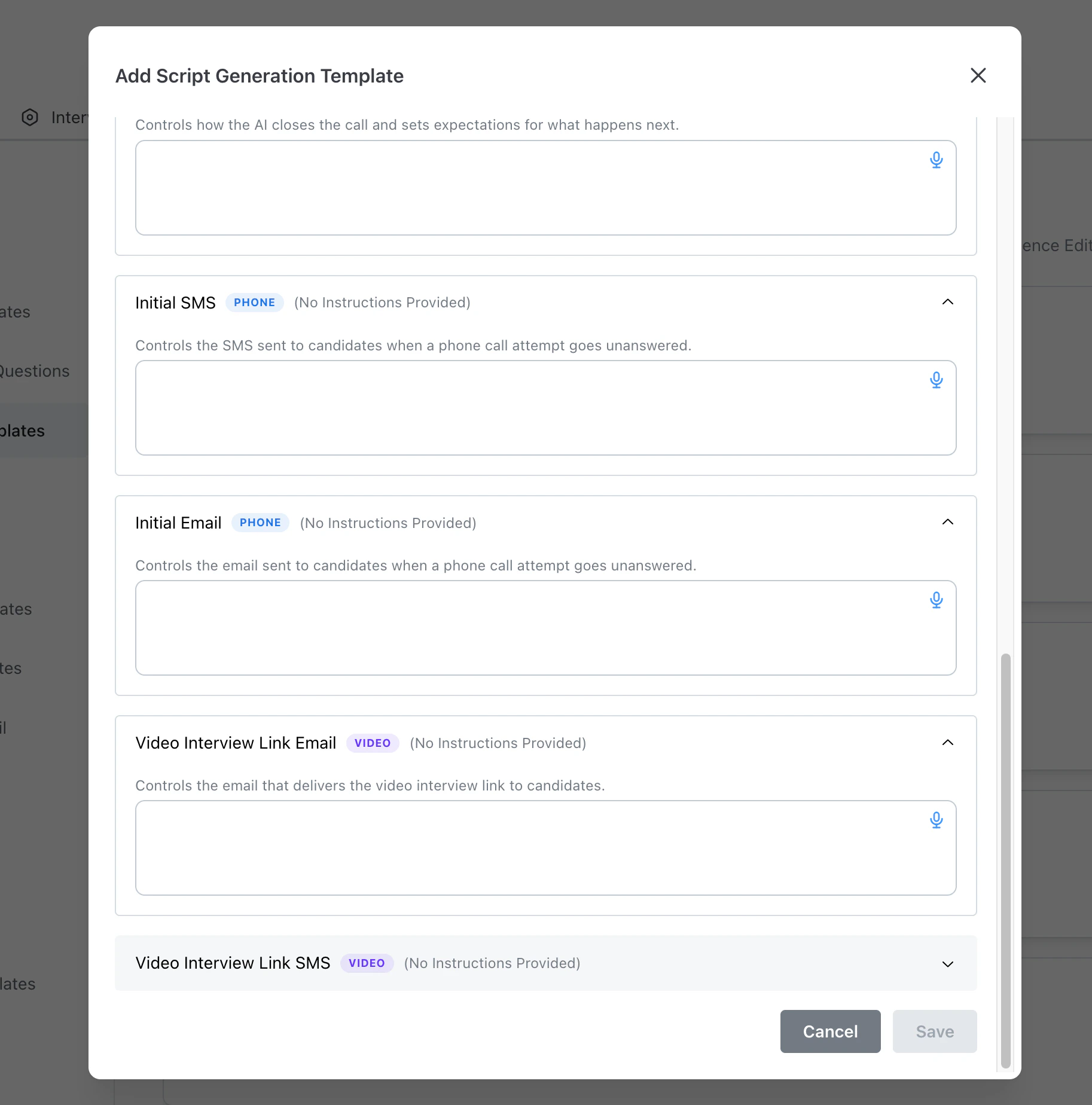
Template form — Initial SMS, Initial Email, Video Interview Link Email, Video Interview Link SMS
Sectioned Script Guidance
The template editor is split into dedicated sections so teams can be precise about where guidance is applied. Current section order:- Screening Questions
- Resume Review Requirements
- Sourcing Requirements
- Call Intro
- Call Outro
- Initial SMS
- Initial Email
- Video Interview Link Email
- Video Interview Link SMS
- Overall + section merge: Section-specific text is combined with Overall Instructions for that output component.
- Context badges: Phone-specific sections are labeled with a
Phonebadge and video-link sections are labeled with aVideobadge. - Empty-state indicator: Sections with no text show
(No Instructions Provided)in the section header so admins can quickly spot gaps. - Expandable editing: Each section can be expanded independently to keep longer templates organized.
- Separate requirement sets: Resume Review Requirements and Sourcing Requirements steer two independent sets of job requirements. If the sourcing section is left empty, the resume requirements configuration is used for both — see Sourcing vs Resume Requirements.
- Screening Questions: “Always include a question about shift availability. Keep questions conversational and under 2 sentences each.”
- Resume Review Requirements: “Focus on certifications and years of experience. Require a valid driver’s license for field roles.”
- Sourcing Requirements: “Always include a geographic requirement. Prefer certifications and job titles over soft skills.”
- Call Intro: “Keep the intro under 3 sentences. Mention the company name and specific role. Use a friendly, professional tone.”
- Call Outro: “Thank the candidate warmly. End in 1-2 sentences. Clearly explain next steps.”
- Initial SMS: “Keep it under 160 characters. Include the job title and a callback number.”
- Initial Email: “Use a friendly subject line with the job title. Keep the body brief - 2-3 sentences max.”
- Video Interview Link Email: “Emphasize that the interview takes about 10 minutes. Mention they can complete it from their phone.”
- Video Interview Link SMS: “Keep it short. Include the link and estimated duration. Mention it works on mobile.”
Configuring Script Generation Templates
Your organization comes with an empty Default script generation template. This template is automatically added to all jobs and provided as guidelines to the AI during the initial script generation. Typically this template is used for standard script generation practices that will apply to all jobs and guidelines you’d like the AI to follow when creating interview scripts. In addition to the default template, admins may create additional specific templates for specific sets of roles. For example, a customer may want different script styles or expect different common question types for technical roles versus customer-facing roles, and therefore create a template for each type.Rules Engine Implementation
To standardize the system of adding additional Script Generation Templates, most admins will create specific rules in the rules engine to add generation templates. When script generation templates are added as an action to relevant roles, the interview generation engine will follow the guidelines of all added generation templates when generating an interview.
Job > Configure > Script Generation