

Export from Workday
- In the Workday search bar, open Public Web Services.
- Scroll to Recruiting (Public).
- Open Related Actions (⋯) next to the service → Web Service → View WSDL (use View Custom WSDL if your tenant extensions require it). Workday opens the WSDL as XML in the browser—download or save the page (for example Save As… with a
.xmlfilename) so you have a WSDL XML file on your machine.
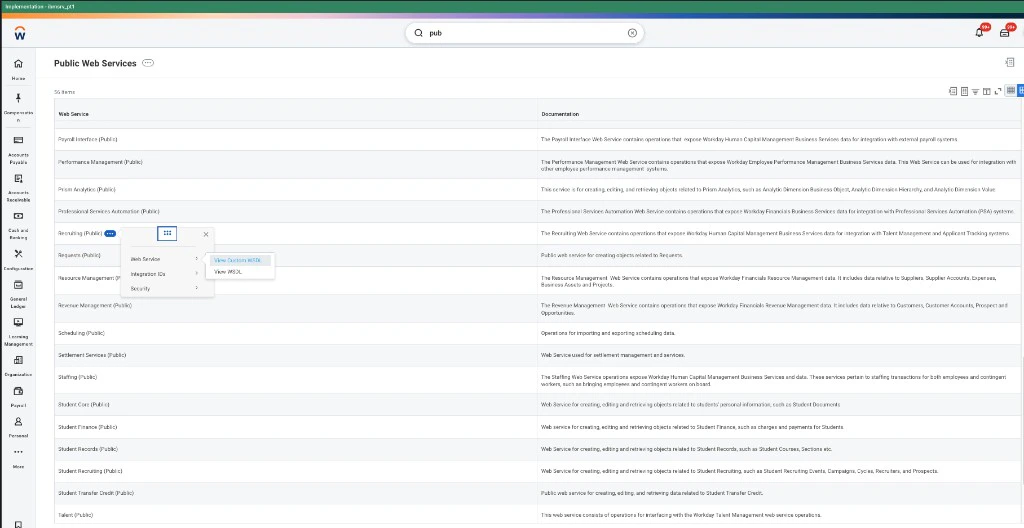
Public Web Services → Recruiting (Public) → Related Actions → Web Service → View WSDL
Upload the XML in Admin
Open Import Workday Recruiting WSDL and choose the WSDL XML file you saved from Workday under WSDL XML file, then click Import WSDL. That file is what builds the custom field catalog for job and application mapping (not workflow steps).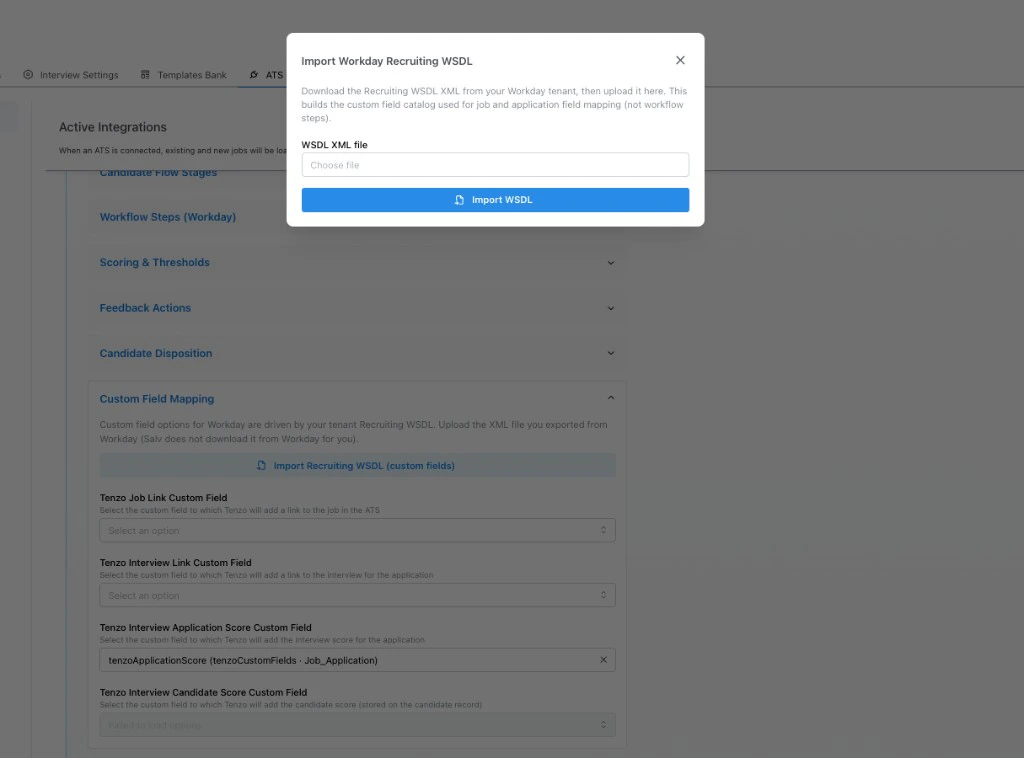
Admin → Workday integration → Custom Field Mapping → Import Recruiting WSDL (custom fields)
- Admin → ATS Integrations → your Workday integration
- Custom Field Mapping → Import Recruiting WSDL (custom fields)
- Choose file → select your saved XML → Import WSDL