

Admin Settings Management
Admins may set a default or required configuration for any setting in the organization. These policies may be configured in the Admin page under the Interview Settings tab.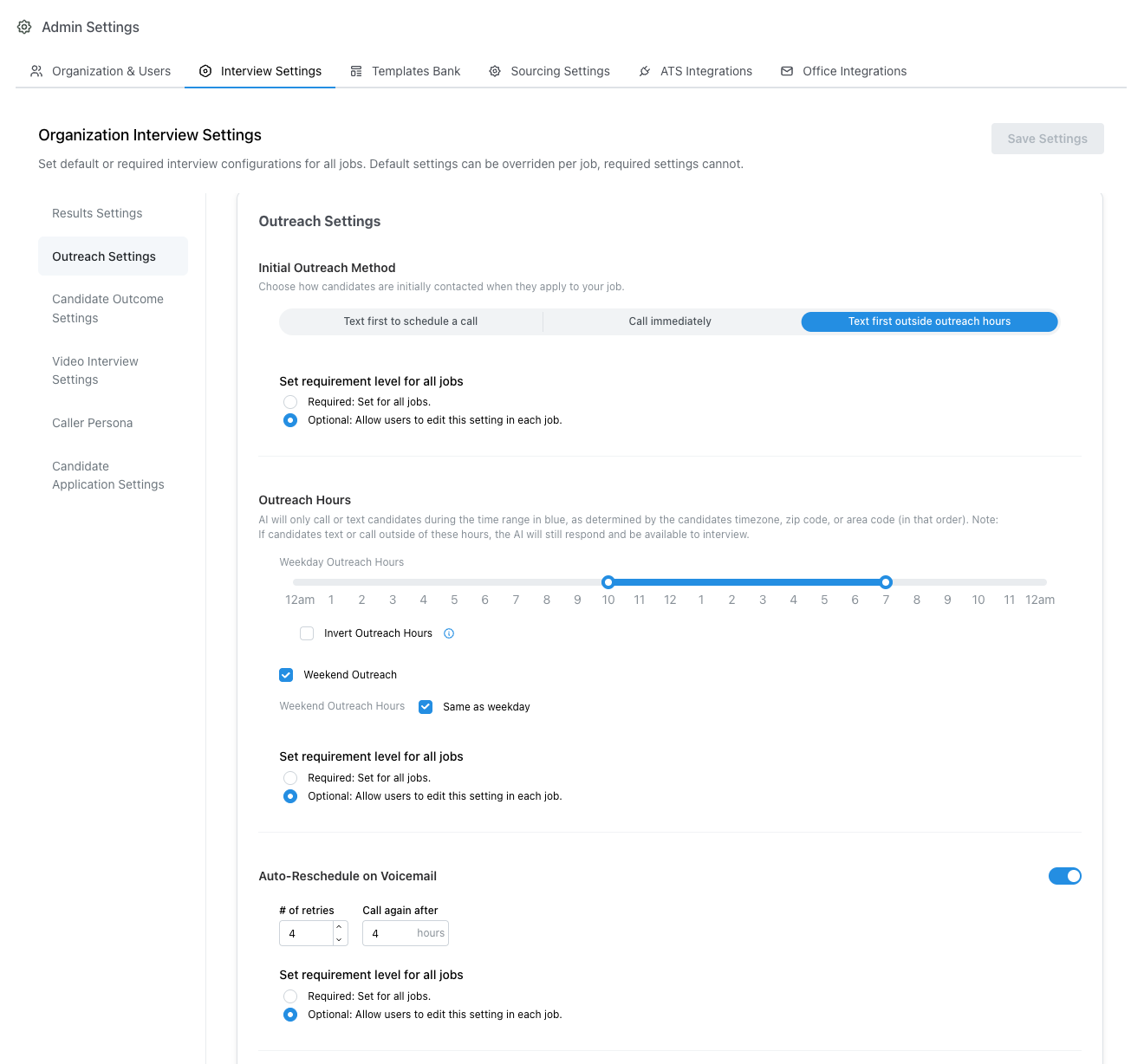
Admin > Interview Settings
Required vs Default Settings
Most settings may be set to either Required or Default within the admin configuration page. Click the control next to the setting title to switch:- A blue-outlined pill with a lock icon labeled Required, with dimmed Setting Cannot Be Modified On Jobs (or Setting Cannot Be Enabled On Jobs when the setting itself is off). Hover the pill and click Switch to Optional to make the setting optional.
- A blue-outlined pill labeled Optional (no lock, with a caret), with dimmed Defaults Here Overridable Per Job. Hover and click Switch to Required to require the setting for all jobs.
- Required settings cannot be modified on a per-interview basis. All interviews will receive the exact configuration of this setting.
- Default settings will be automatically set for all jobs in your organization. Default settings may be modified on a per-interview basis by users with edit permissions
Examples
- If an admin sets a custom AI Interview Name to Michelle and marks the setting as Required, all active and future jobs will use Michelle as the interviewer name
- If an admin sets the schedule follow up setting to Disabled and marks the setting as Required, the schedule follow-up setting will be disabled for all interviews. Recruiters will not be able to toggle this setting on for any jobs while the setting is Disabled and Required.
- If an admin sets a Calendar scheduling look-ahead buffer value in the schedule follow-up setting, new follow-up availability offers will skip interview slots before that buffer has passed. Recruiters may override the value on a job unless the schedule follow-up setting is marked Required.
- If an admin sets the Outreach Emails setting to Disabled but Optional, then recruiters with edit permissions will be able to enable this setting for any interview
Best Practices
- It is recommended to leave most settings as optional to allow recruiters flexibility to customize settings on a per-job basis.
- However, we still recommend setting preferred defaults for any applicable optional setting so all new interviews automatically follow the preferred default behavior
- Required settings are typically reserved for policies which your company wants to ensure are always enforced. For example, enforcing compliant outreach hours or using a consistent caller name are common required settings.
Organization timezone
Set your organization’s IANA timezone under Admin → Organization & Users. This is the primary locale for org-scoped scheduling, calendars, and reports.- New organizations should pick the timezone that matches where the company operates (for example,
Europe/Parisfor a French staffing agency). - Default candidate timezone is an optional override for candidates with no timezone of their own. When left blank, Tenzo inherits the organization timezone.
- Do not leave the organization timezone at a US default for European deployments — update it during onboarding so outreach hours and scheduling fall back correctly.