
Documentation Index

Fetch the complete documentation index at: https://f4c7a9e2d8b1-docs.tenzo.ai/llms.txt

Use this file to discover all available pages before exploring further.

What to configure

For Workday custom application fields to work in Tenzo, you need both of the following:

Tenant / XML namespace

In Admin → ATS Integrations → Workday → General, set Workday tenant custom XML namespace. This is the tenant-specific xmlns:custom value Workday uses for Put_Job_Application_Additional_Data (usually shaped like urn:com.workday/tenants/<tenant>/data/custom). You can enter either the tenant name only (e.g. ibmsrv_pt1) or the full URI; Tenzo normalizes it before each request.
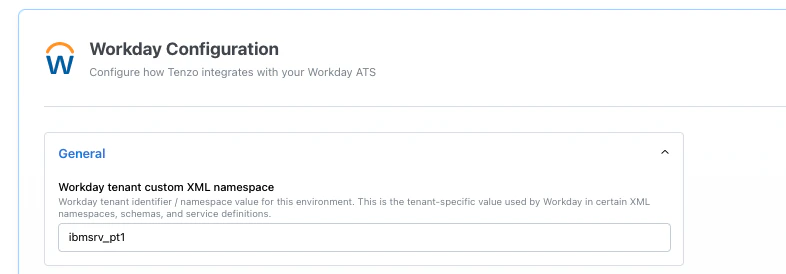
Workday Configuration with General section expanded, showing Workday tenant custom XML namespace field

Recruiting WSDL import

Import your tenant’s Recruiting WSDL so Tenzo knows field names, types, and structure. See custom fields (WSDL import). The namespace must match what your Recruiting definitions use for custom job application data. If it is missing or wrong, Workday may reject updates or apply them incorrectly.

When to do this again

Whenever you change additional information or custom fields on job applications in Workday, refresh both: re-import the Recruiting WSDL and confirm the tenant namespace still matches your environment so writes stay in sync.

See also