

Question Bank Templates
The Question Bank allows you to create and manage a library of pre-made questions with customized grading instructions that can be added to any job.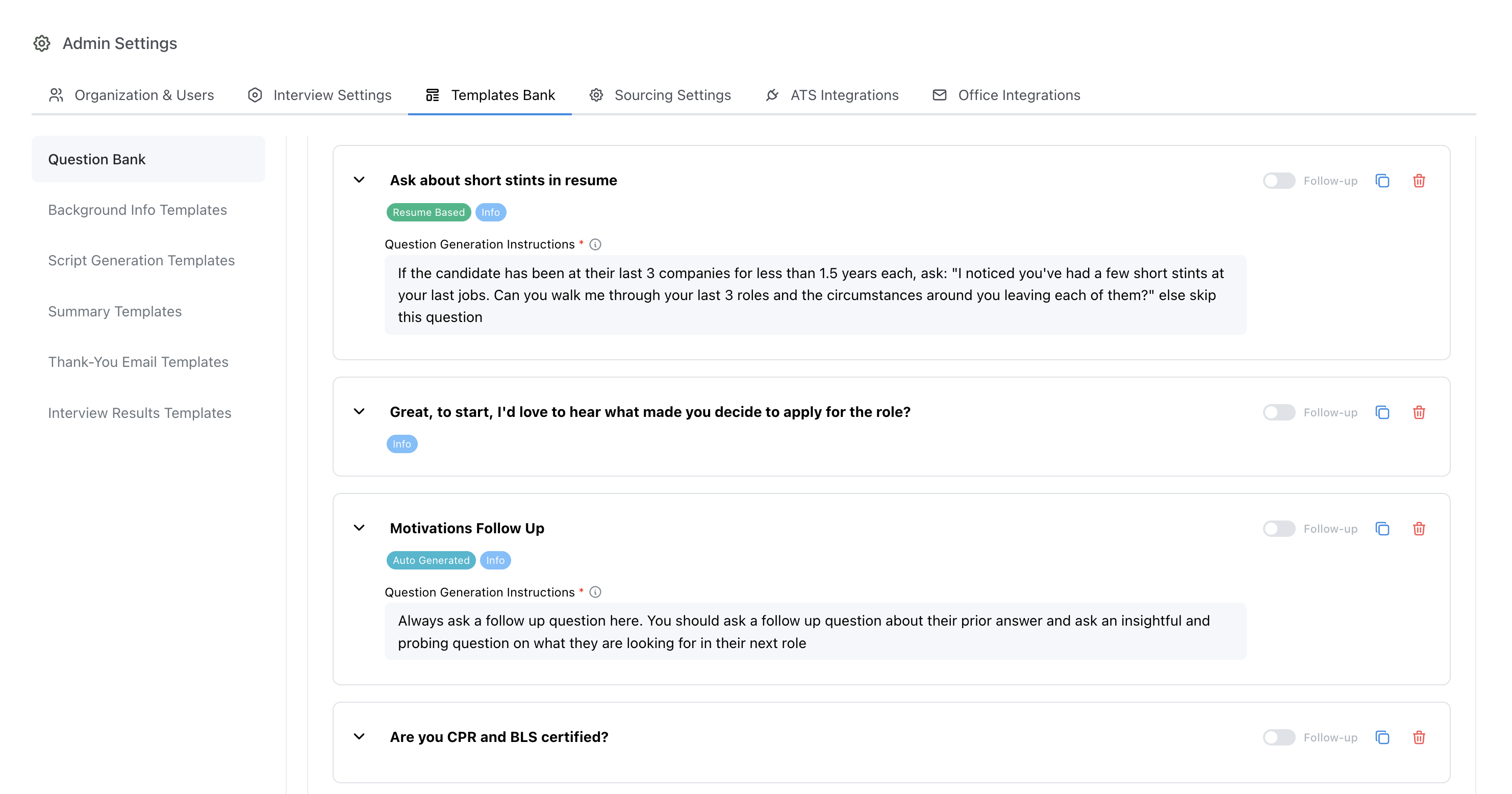
Admin > Templates Bank > Question Bank
Adding Questions to the Question Bank
Questions can be created directly in the question bank, or added to the question bank from a job’s configuration page.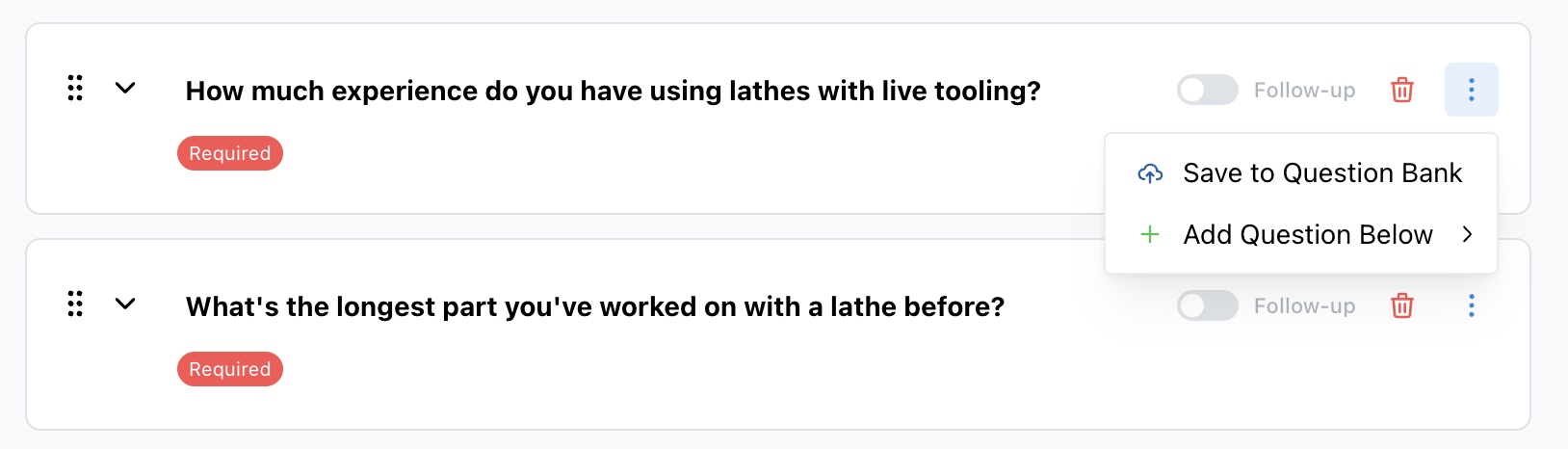
Job > Configure > Screening Questions > Save to Question Bank
Using Question Bank Templates
Saved questions may then be added directly to a job from the interview configuration page, saving editors time copying over the desired settings and grading instructions from previous interviews.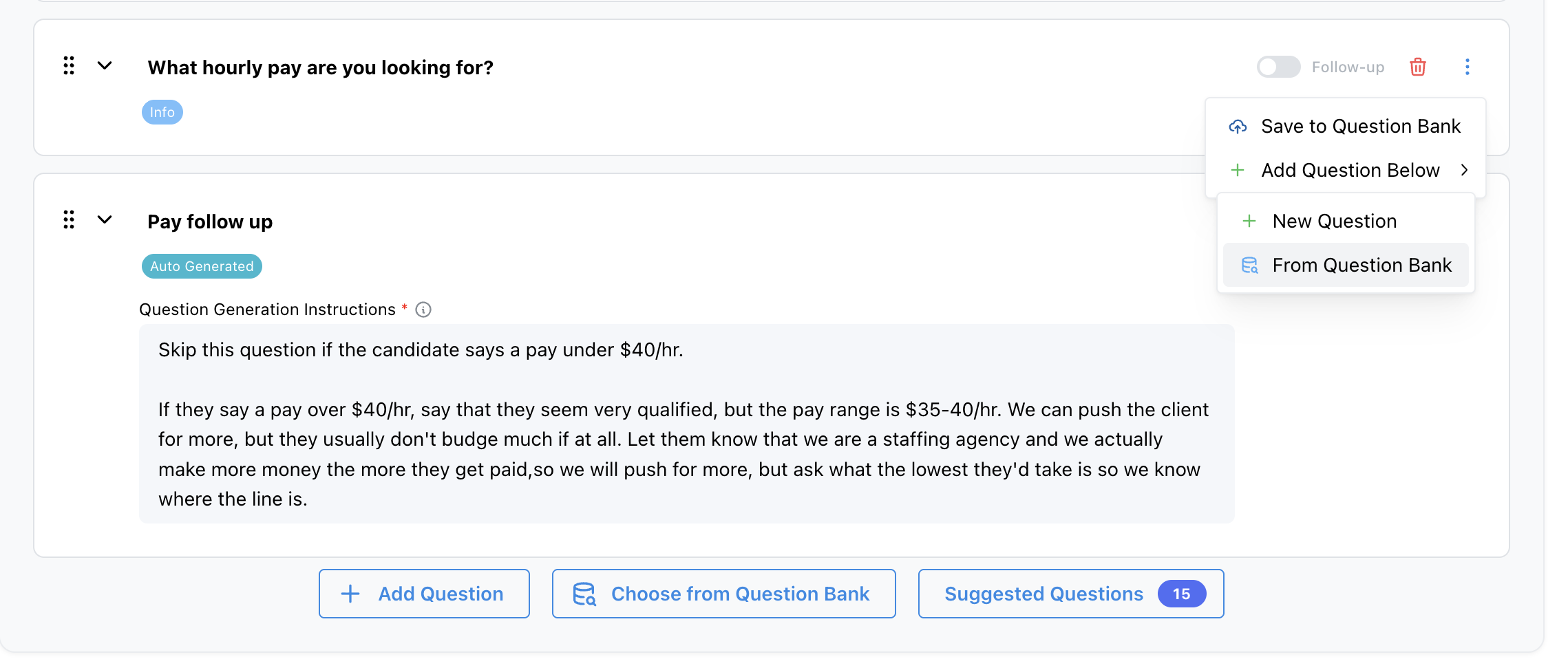
Job > Configure > Screening Questions
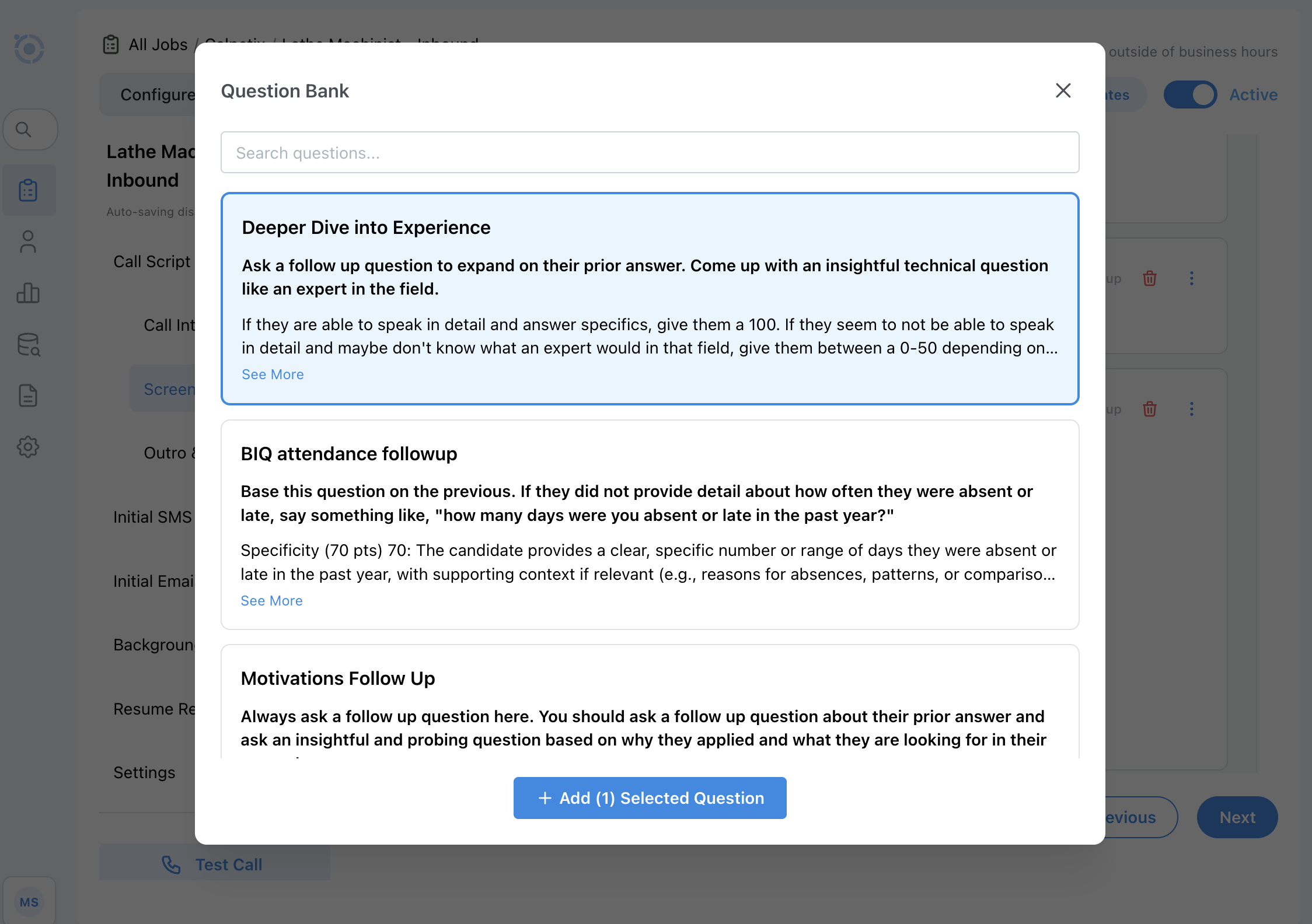
Job > Configure > Screening Questions