

Rules Engine Overview
Admins may use the Rules Engine to customize interviews based on fields in the ATS. Rules follow the following pattern:- Conditions Conditions based on specified ATS fields to determine matching jobs
- Actions How Tenzo should configure interviews for ATS jobs which match these conditions (e.g. adding to a folder, interview generation instructions, specific setting configurations)
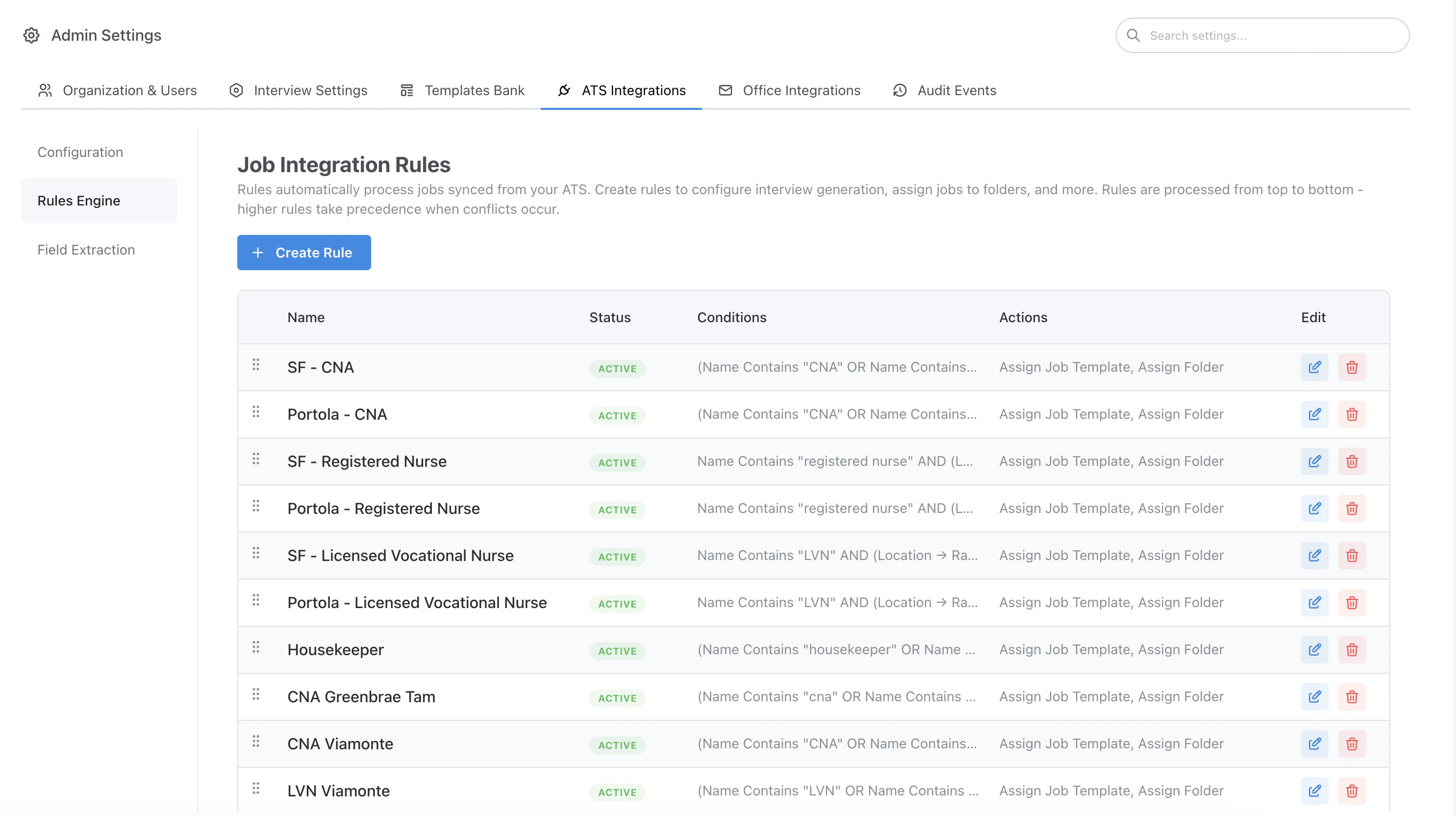
Rules Engine overview
Configured rule example
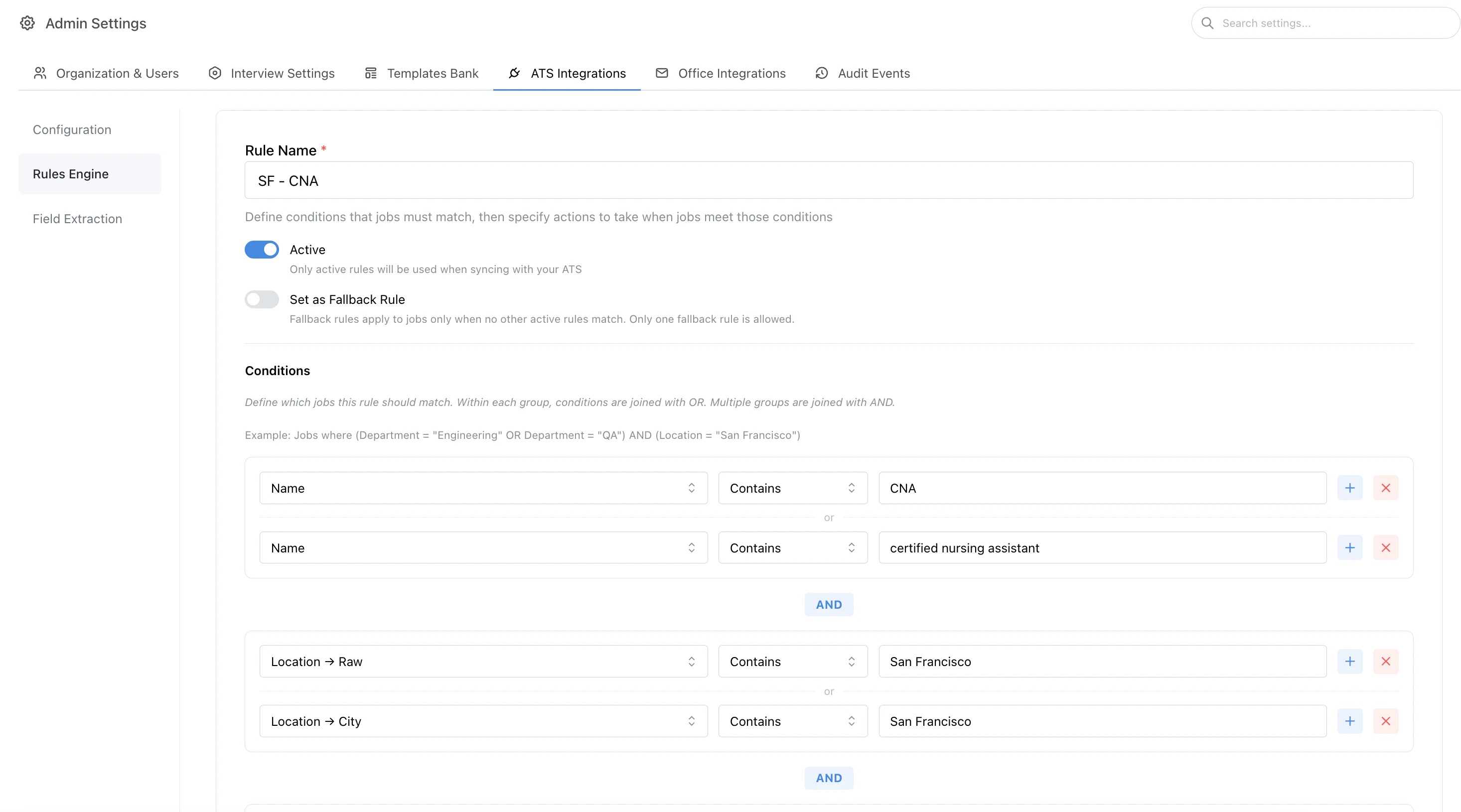
Rule conditions (example)
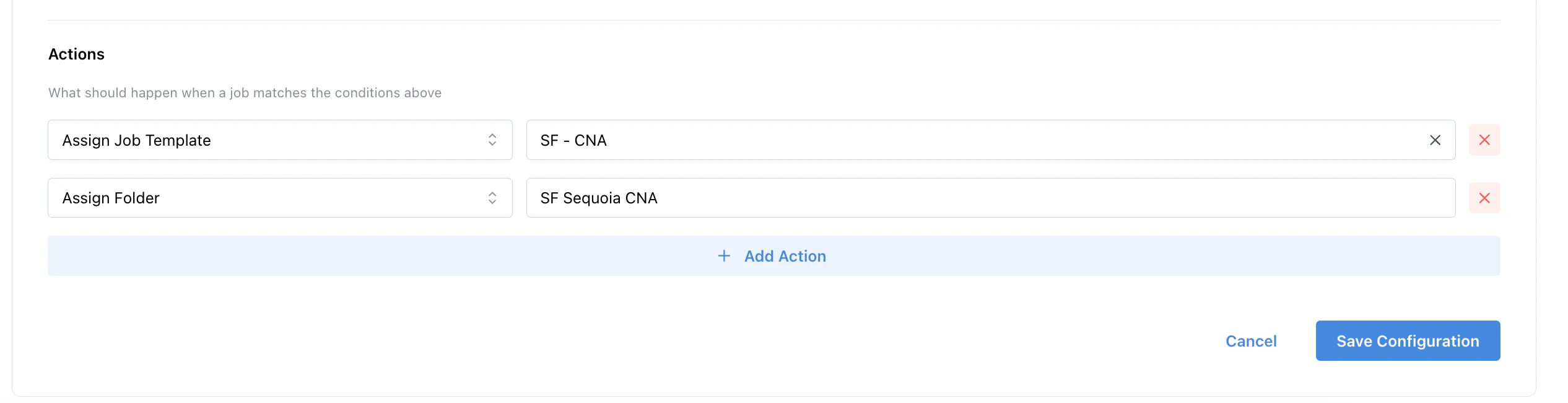
Rule actions (example)
Customizing Settings via the Rules Engine
Any interview setting may be applied to specific jobs matching conditions via a rule.- For example, if the jobs in the ATS are organized by office, you may configure a rule for each office and specify a different follow-up user calendar for each office.
- This setup is common for organizations who want to use a single shared calendar across a set of interviews.
- Once the rule is active, all interviews created for that office will automatically be configured to schedule follow-up interviews using the selected calendar for that office.
Example Rule
Below is an example of adding a rule which assigns a specific follow-up user based on the location of the job.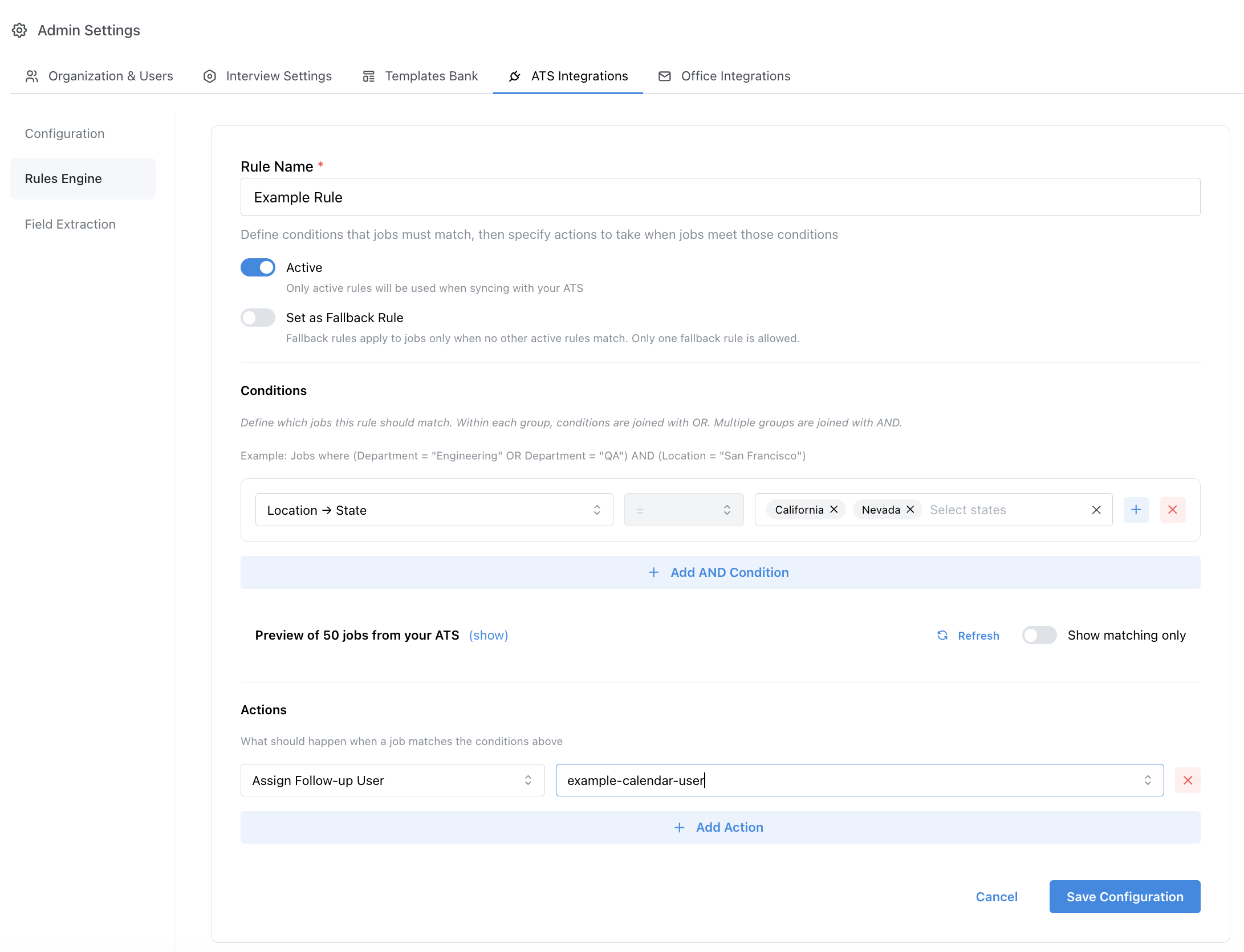
Admin > ATS Integrations > Rules Engine > Create Rule