

Reusable Job Templates
Job templates let you define a reusable interview configuration that can be used as the starting point for other jobs. They are useful when many jobs should share the same structure, screening logic, outreach, settings, or candidate experience. Tenzo supports two kinds:- Script templates — every section is fixed; linked jobs stay aligned with the template.
- Hybrid templates — some sections copy exactly, while others are generated by AI for each new job from that job’s description (and linked Meeting Copilot or Autopilot intake context, when available), and job settings remain editable on the linked job.
When to Use a Job Template
Use a job template when you want a consistent interview pattern across multiple jobs. For example:- A standard compliance screen that should be reused across many roles
- A location or office-specific interview structure
- A role family, such as warehouse, nursing, engineering, or sales
- The same settings that should apply across many jobs
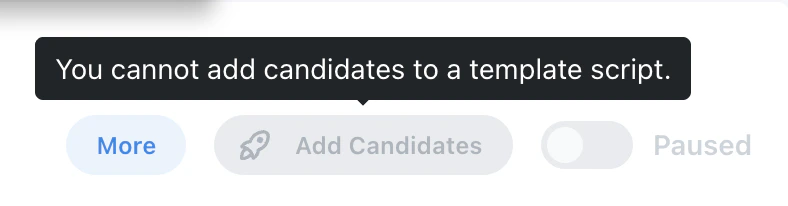
Mark a Job as a Template
To turn a job into a template, open the job’s Settings step and enable the Template toggle. Once enabled, the job is treated as a reusable base for other jobs.
{{label.column}} variables, each linked job is
match-checked when the change is propagated, and any jobs that don’t match a lookup row are
surfaced as warnings so you can add the missing rows or confirm the fallback is acceptable.
See Lookup-Table Variables.
Script Templates vs. Hybrid Templates
Tenzo classifies each saved job template as Script or Hybrid:
Hybrid templates let you decide section by section whether content should be copied exactly or
generated for each job.
Use Exactly
Use Use Exactly when a section should stay fixed across all jobs created from the template. This is best for content that should not vary by role, such as compliance language, required disclosures, or standardized outreach language.AI Generated
Use AI Generated when a section should be created fresh for each job using that job’s description — and, when available, linked Meeting Copilot or Autopilot intake context. This is best for role-specific content, such as screening questions, resume requirements, and job-specific intros or outreach.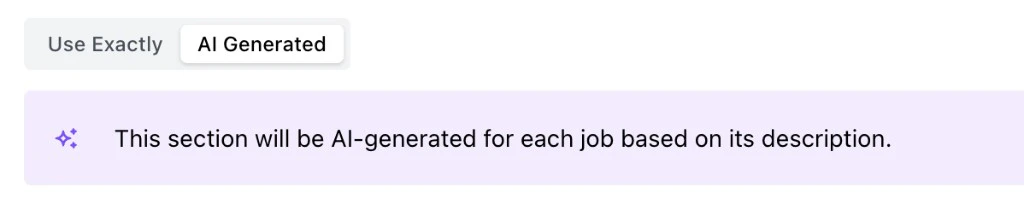
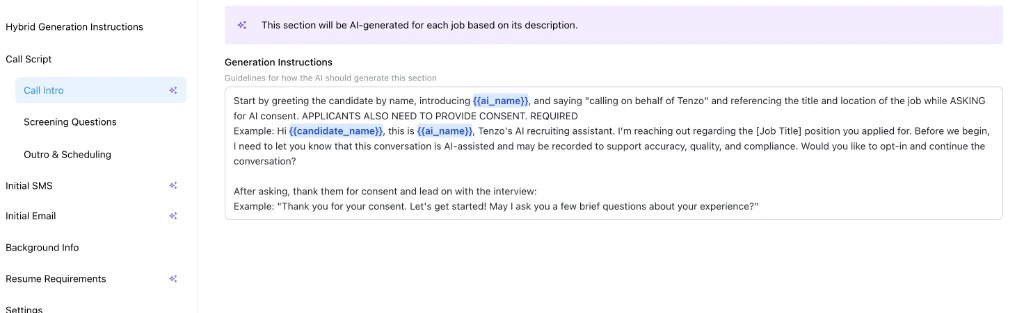
Set Up a Hybrid Template
To set up a hybrid template:- Create or open the job you want to use as the template.
- Enable the Template toggle in Settings.
- For each configurable section, choose Use Exactly or AI Generated.
- Add generation instructions to any AI-generated section.
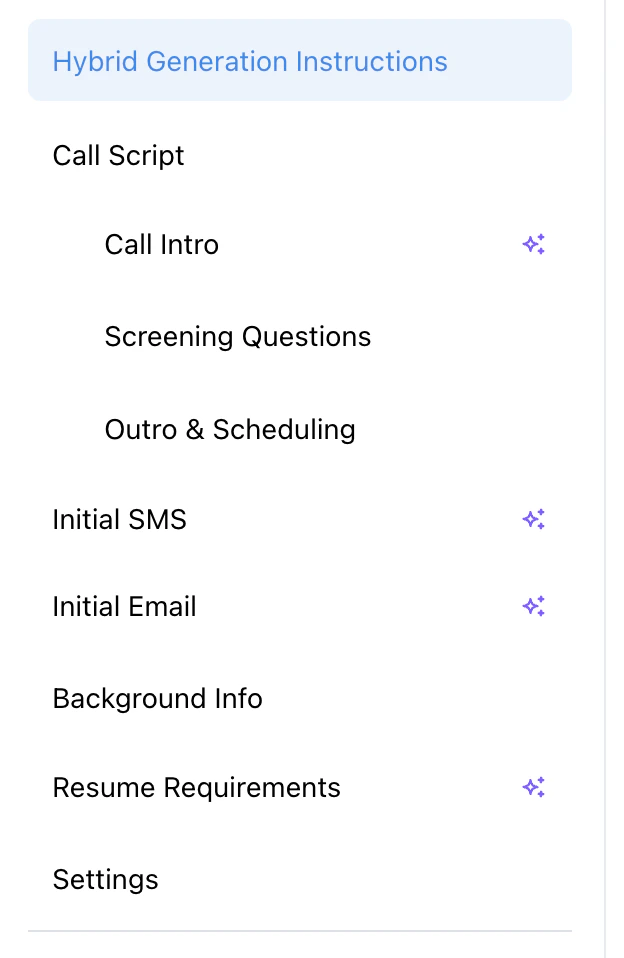
- Configure fixed questions, AI Blocks, outreach, background info, resume requirements, sourcing requirements, and settings.
- Save the template.
AI Blocks for Screening Questions
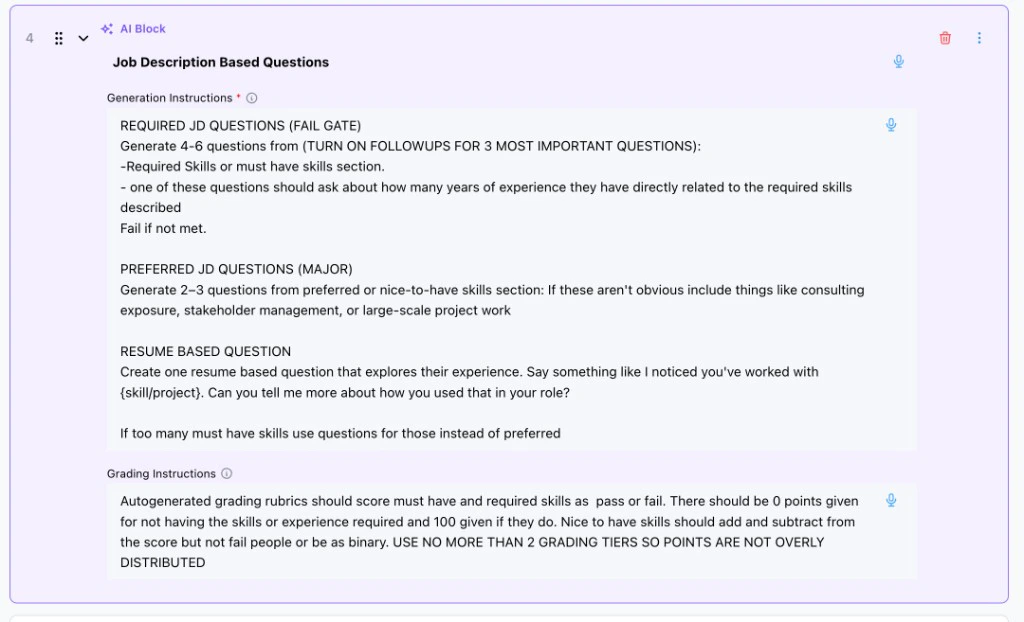
AI Blocks are placeholders inside the Screening Questions step. Instead of writing every question directly in the template, you can add an AI Block that tells Tenzo what kinds of questions to generate for each new job. Use AI Blocks when the question set should vary by job, but the pattern should stay consistent. For example, an AI Block can tell Tenzo to generate required questions from the job description, include a resume-based question, and use a specific grading style.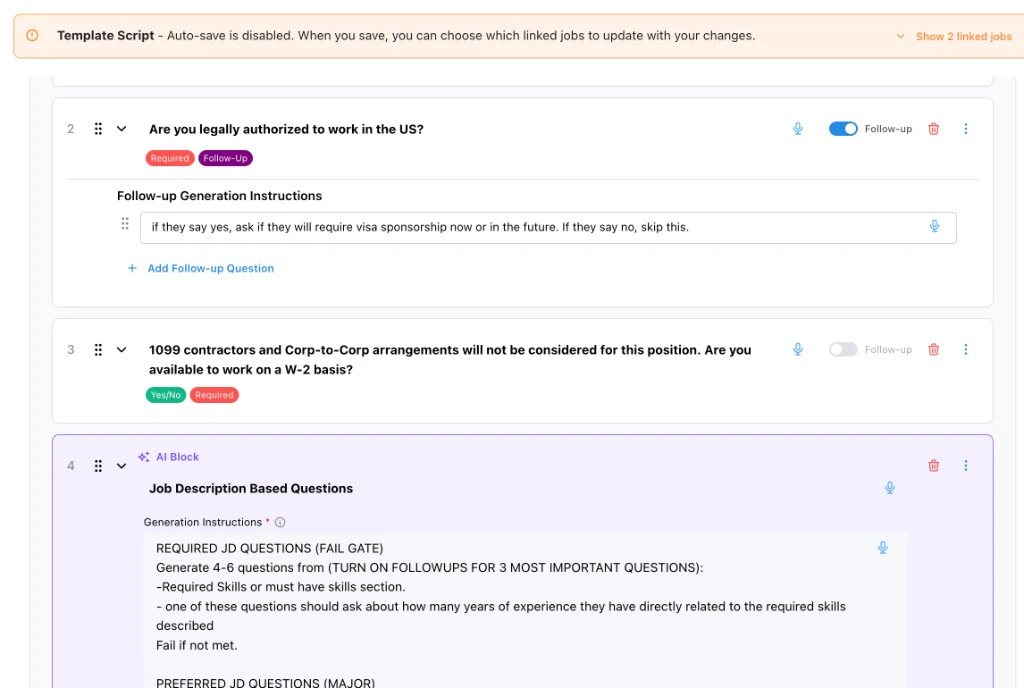
Editing Jobs Created from Templates
Jobs created from templates have different editability rules depending on the template kind and where each section came from. The job editor shows a banner that links back to the source template.Hybrid-derived jobs
- Editable: AI-generated sections, questions from AI Blocks, and job-level settings (for example Caller Settings such as voice and language). Recruiters can customize these per job. Pending AI Blocks can be generated on the job when you are ready.
- Locked: Use Exactly sections and screening questions written directly on the template. Change those on the template, then update linked jobs.
- A job created from a template cannot itself be turned into a template.
Script-derived jobs
Content and settings stay managed by the template. To change them, edit the template and choose which linked jobs should receive the update.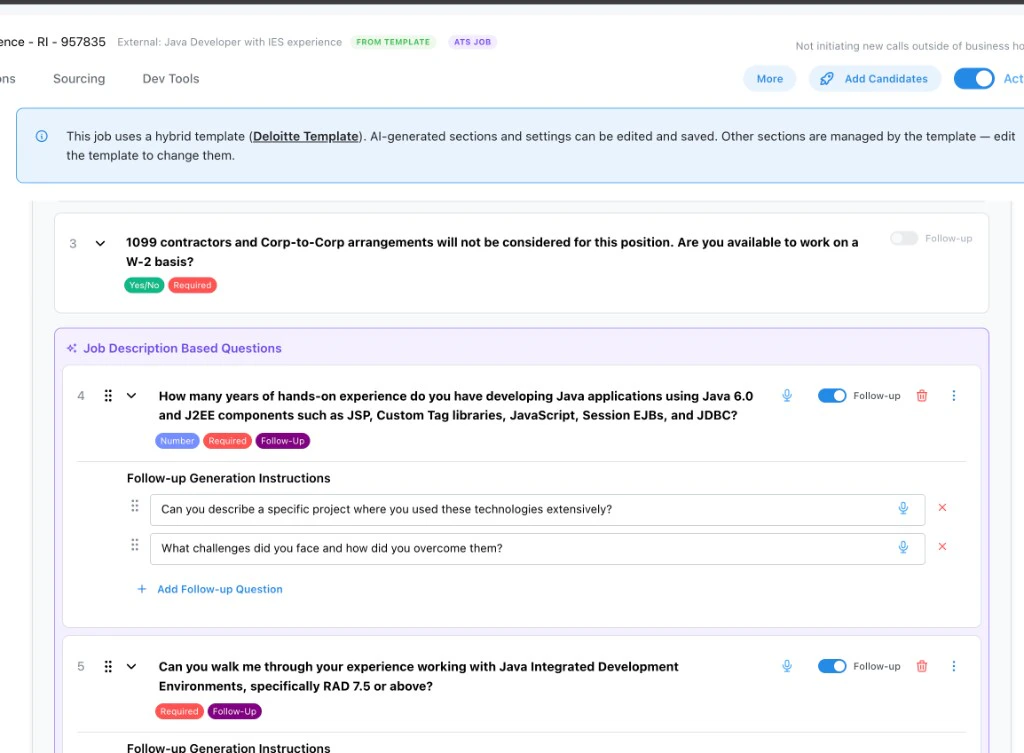
Updating Linked Jobs When You Save a Template
When you save a template that has linked jobs, you can:- Save the template only — no jobs change.
- Propagate hardcoded updates — push template-managed content to the jobs you select.
- Propagate with AI regeneration (Hybrid) — also optionally re-generate specific AI sections or AI Block questions on those jobs.
How ATS Jobs Use Templates
For jobs created from your ATS, templates are typically applied through the Rules Engine. Rules can match incoming ATS jobs and associate them with the correct template, so each new job starts with the right fixed sections, AI-generated sections, AI Blocks, and settings. For setup details, see Rules Engine.What to Review
Before using a template broadly, create or sync a test job from it and review:- Which sections were copied exactly
- Which sections were generated from the job description (and Meeting Copilot / Autopilot intake context, when present)
- Whether AI Blocks generated the right number and type of questions
- Whether grading instructions fit the generated questions
- Whether outreach messages match the candidate path
- Whether settings are appropriate for jobs that will use the template