> ## Documentation Index
> Fetch the complete documentation index at: https://f4c7a9e2d8b1-docs.tenzo.ai/llms.txt
> Use this file to discover all available pages before exploring further.
# Question Constraints
> Define compliance rules for screening questions
## Question Constraints
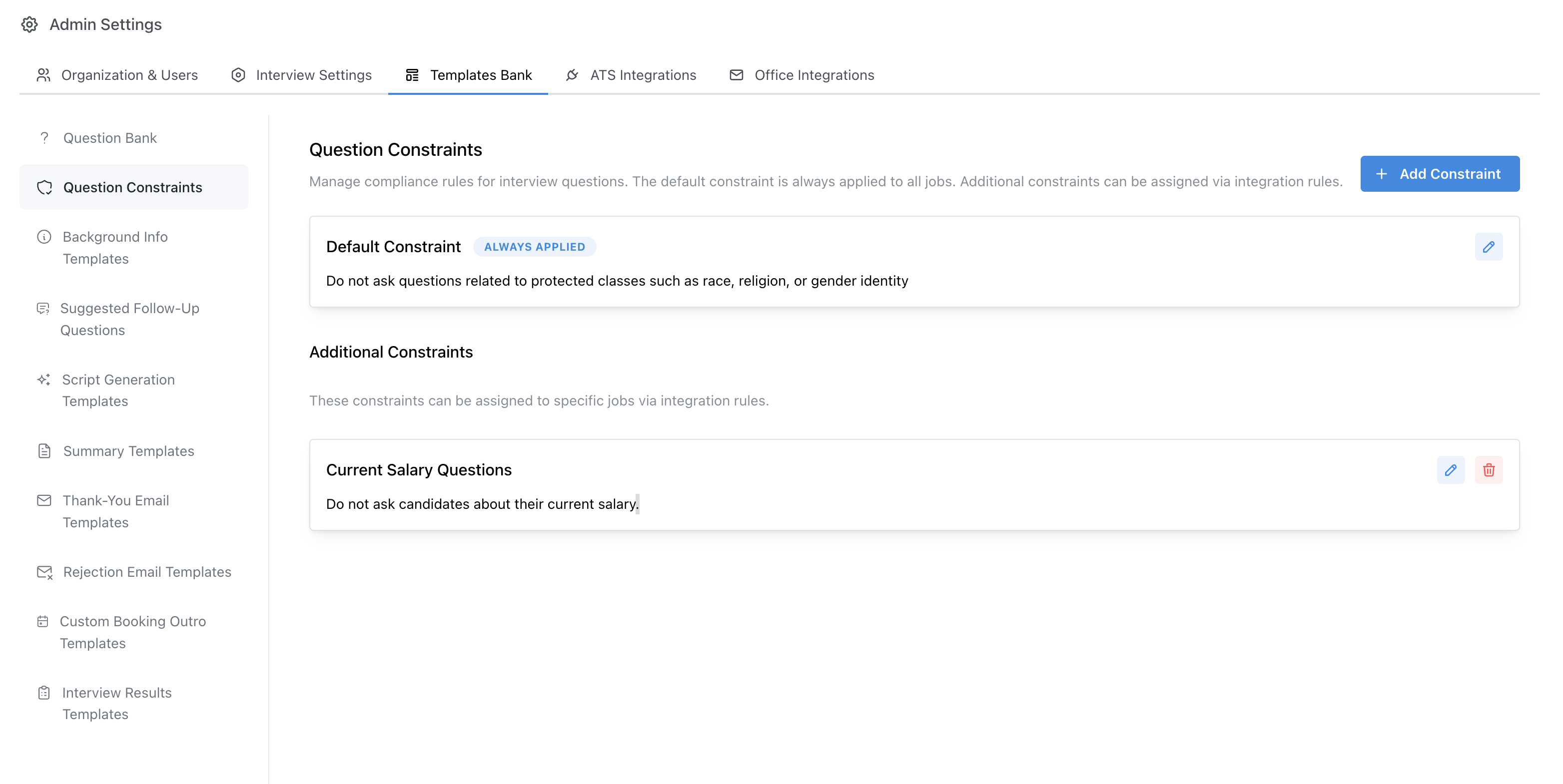
Question Constraints allow organization admins to define compliance rules that screening questions must follow for their organization.
These rules help ensure that questions configured by recruiters follow internal policies and any applicable regulations, while still giving teams flexibility in how they design interviews.
## Default Question Constraint
Your organization comes with an empty **Default Question Constraint** which automatically applies to **all jobs**.
This default constraint is typically used to enforce your global compliance standards, such as:
* Which topics questions may or may not cover
* How questions about sensitive attributes should be handled
* Any requirements for phrasing or grading instructions
## Adding Additional Question Constraints via the Rules Engine
In addition to the default constraint, admins can configure **additional Question Constraints** and apply them to specific sets of jobs via the **Rules Engine**.
Common examples include:
* Creating region-specific constraints for certain states or countries
* Applying stricter rules for roles with additional regulatory requirements
When configuring rules in the **Rules Engine**, you can:
* Use **Conditions** (for example: job location, department, seniority)
* Add **Actions** that attach one or more Question Constraints to matching jobs
This allows admins to enforce region-dependent compliance — for example, adding a constraint that only applies to jobs in certain states to comply with state-level regulations.
 ## Constraint Violations
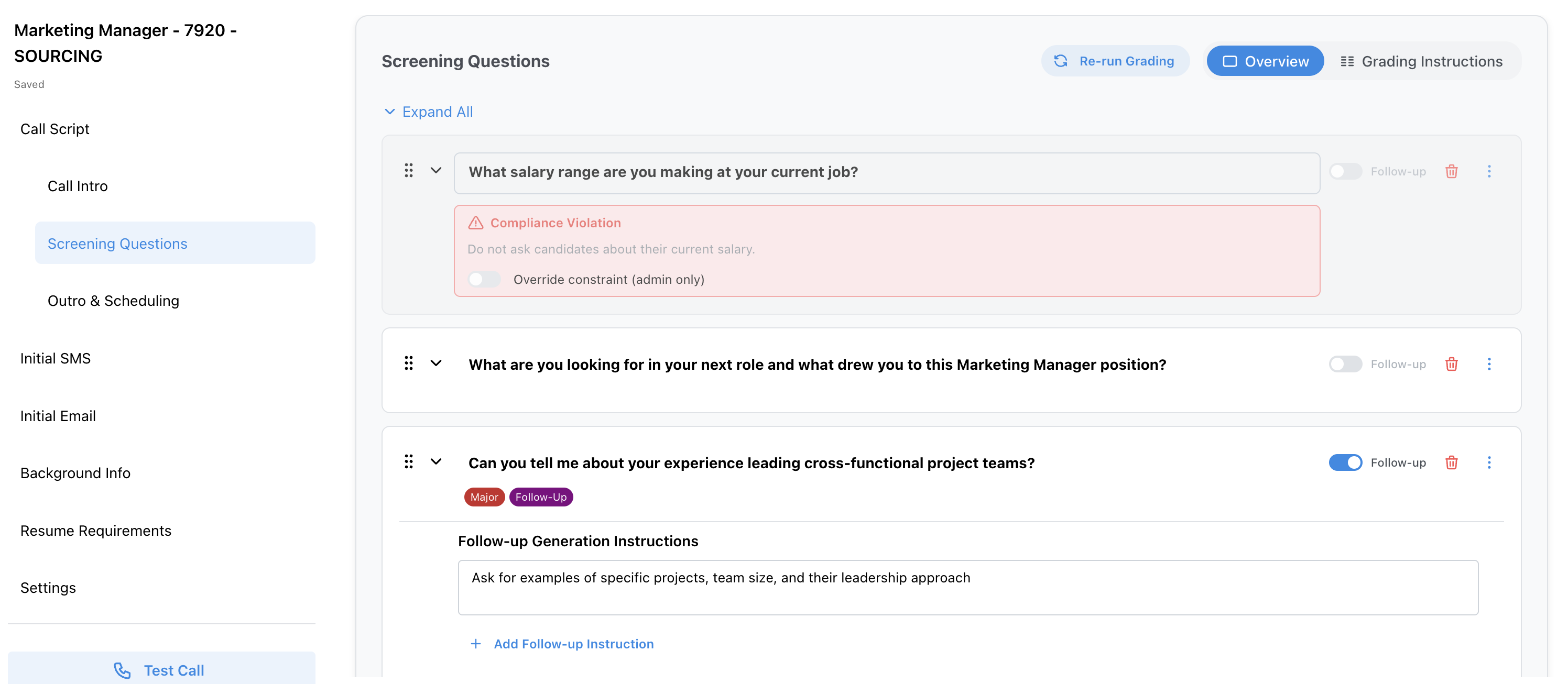
When a recruiter creates or edits a question, Tenzo will check it against the active Question Constraints for that job.
* Questions that **violate** one or more constraints will be **flagged** in the job editor UI.
* Flagged questions **can still be added** to a job, but only with **explicit admin approval**.
## Constraint Violations
When a recruiter creates or edits a question, Tenzo will check it against the active Question Constraints for that job.
* Questions that **violate** one or more constraints will be **flagged** in the job editor UI.
* Flagged questions **can still be added** to a job, but only with **explicit admin approval**.
 This workflow gives organizations a balance between:
* **Compliance and risk management** (via clear constraints and flags)
* **Recruiter flexibility** (allowing exceptions with the proper approvals)
\[]
This workflow gives organizations a balance between:
* **Compliance and risk management** (via clear constraints and flags)
* **Recruiter flexibility** (allowing exceptions with the proper approvals)
\[]