> ## Documentation Index
> Fetch the complete documentation index at: https://f4c7a9e2d8b1-docs.tenzo.ai/llms.txt
> Use this file to discover all available pages before exploring further.
# Rules of Engagement
> Configure organization level sourcing rules and defaults
## Overview
An Organization Admin may specifify rules that apply to all sourcing sessions to ensure recruiter compliance with organization rules and best practices.
Filters may be defined on ATS candidate fields to only permit sourcing candidates under certain conditions.
## Setting up Custom Rules of Engagement
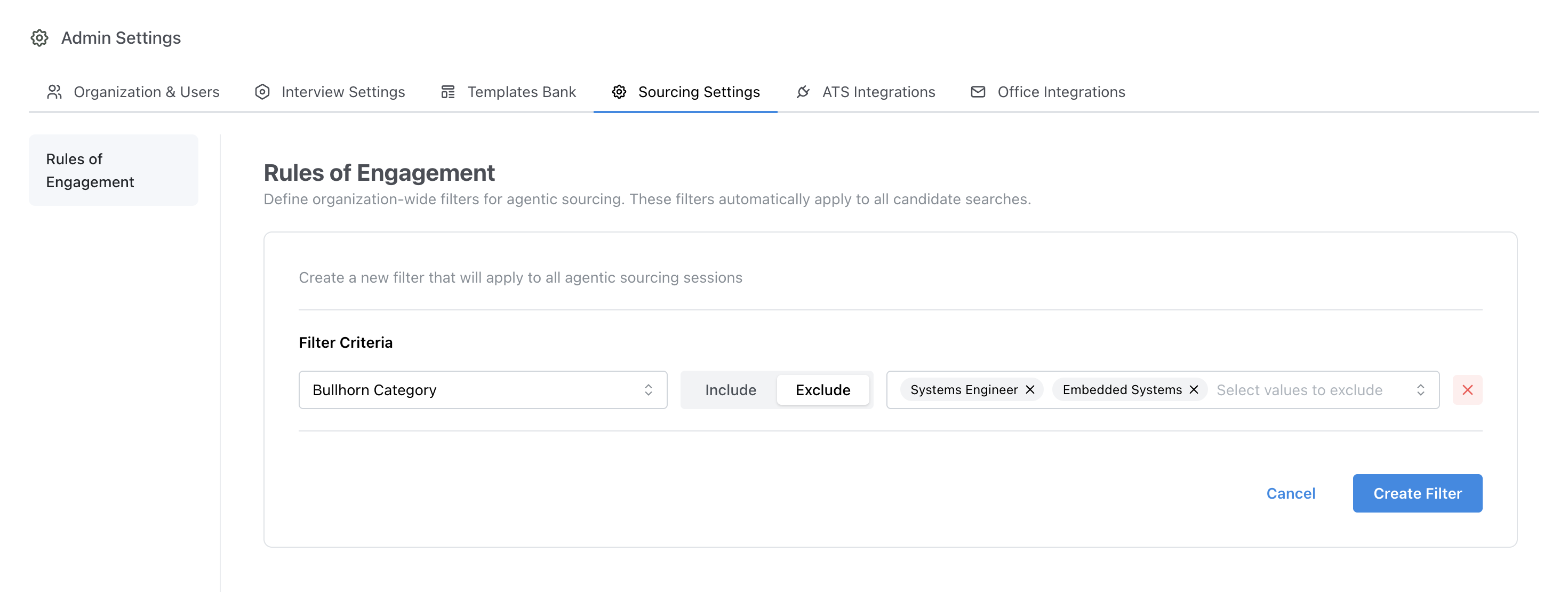
In the example below, a rule is defined to exclude candidates from forbidden categories as defined in the bullhorn ATS.
Once this rule is created, candidates from these forbidden categories will not be included in future sourcing session results.
 Some fields are included by default for each ATS.
Additional fields for a specific ATS integration can be integrated and mapped per customer request as needed to facilitate the creation of additional rules.
## Last Note Date Filter
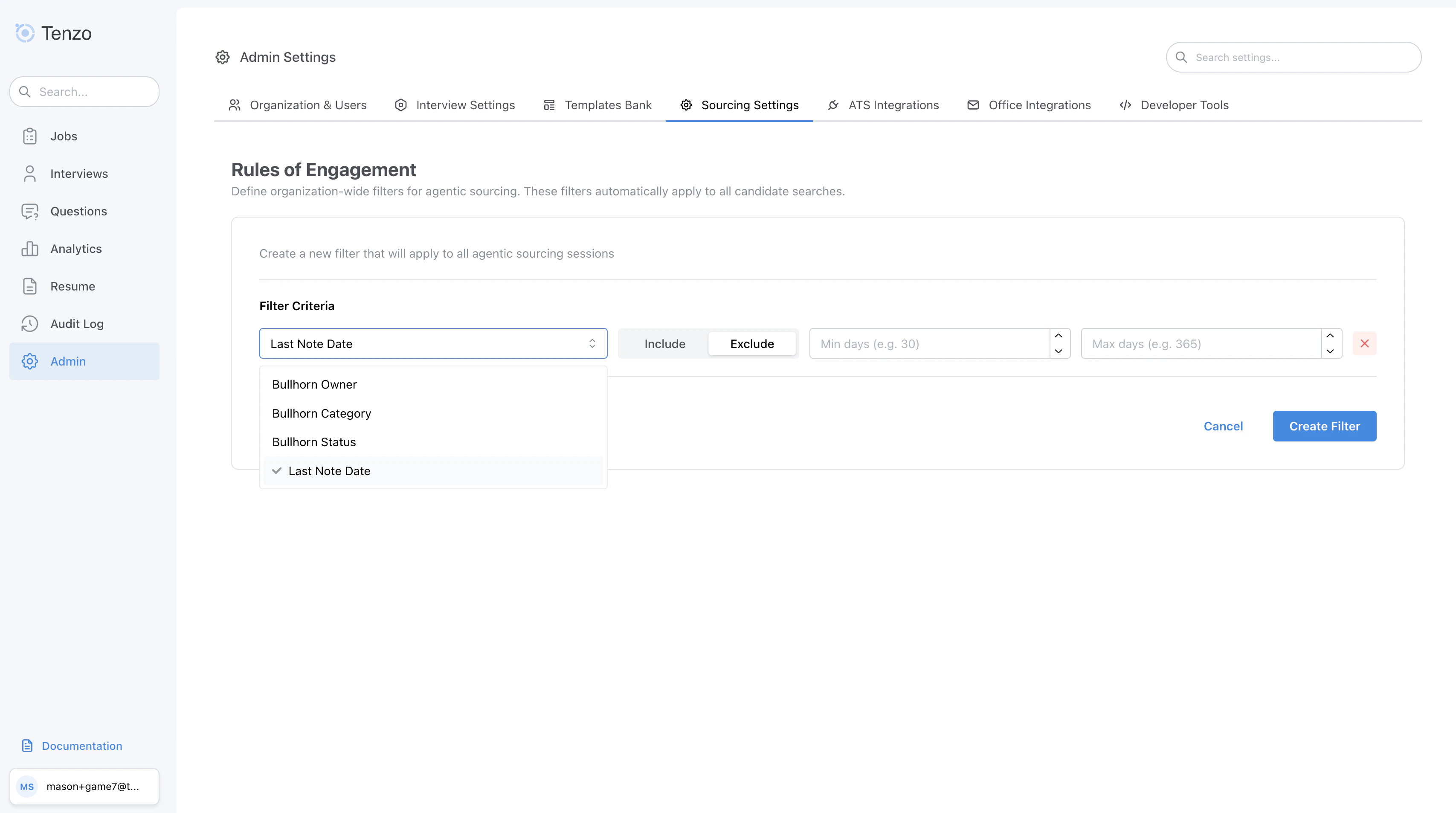
In addition to metadata field filters, organizations can filter candidates based on when their most recent note was created in the ATS. This is useful for controlling whether recently contacted candidates appear in sourcing results. Not supported by all ATSs.
### Filter Modes
* **Exclude**: Hide candidates whose last note falls within the specified date range. Candidates with no notes are still included in results.
* **Include**: Only show candidates whose last note falls within the specified date range. Candidates with no notes are excluded from results.
### Configuration
The filter is configured using two fields:
* **min\_days**: The minimum number of days ago the last note must have been created
* **max\_days**: The maximum number of days ago the last note must have been created
At least one of `min_days` or `max_days` must be specified.
### Use Cases
* **Exclude recently contacted candidates**: Set mode to *Exclude* with `max_days = 90` to hide candidates who have a note from the last 90 days.
* **Target candidates not touched in a while**: Set mode to *Include* with `min_days = 180` to only show candidates whose last note is older than 180 days.
### Behavior Notes
* Only one Last Note Date filter can be configured per organization.
* The filter applies as a default to all sourcing sessions but can be overridden on a per-search basis.
* Candidates with no notes in the ATS are **included** when using Exclude mode and **excluded** when using Include mode.
Some fields are included by default for each ATS.
Additional fields for a specific ATS integration can be integrated and mapped per customer request as needed to facilitate the creation of additional rules.
## Last Note Date Filter
In addition to metadata field filters, organizations can filter candidates based on when their most recent note was created in the ATS. This is useful for controlling whether recently contacted candidates appear in sourcing results. Not supported by all ATSs.
### Filter Modes
* **Exclude**: Hide candidates whose last note falls within the specified date range. Candidates with no notes are still included in results.
* **Include**: Only show candidates whose last note falls within the specified date range. Candidates with no notes are excluded from results.
### Configuration
The filter is configured using two fields:
* **min\_days**: The minimum number of days ago the last note must have been created
* **max\_days**: The maximum number of days ago the last note must have been created
At least one of `min_days` or `max_days` must be specified.
### Use Cases
* **Exclude recently contacted candidates**: Set mode to *Exclude* with `max_days = 90` to hide candidates who have a note from the last 90 days.
* **Target candidates not touched in a while**: Set mode to *Include* with `min_days = 180` to only show candidates whose last note is older than 180 days.
### Behavior Notes
* Only one Last Note Date filter can be configured per organization.
* The filter applies as a default to all sourcing sessions but can be overridden on a per-search basis.
* Candidates with no notes in the ATS are **included** when using Exclude mode and **excluded** when using Include mode.