> ## Documentation Index
> Fetch the complete documentation index at: https://f4c7a9e2d8b1-docs.tenzo.ai/llms.txt
> Use this file to discover all available pages before exploring further.
# Org-Wide Interview Settings
> Setup default interview configurations for your organization
## Admin Settings Management
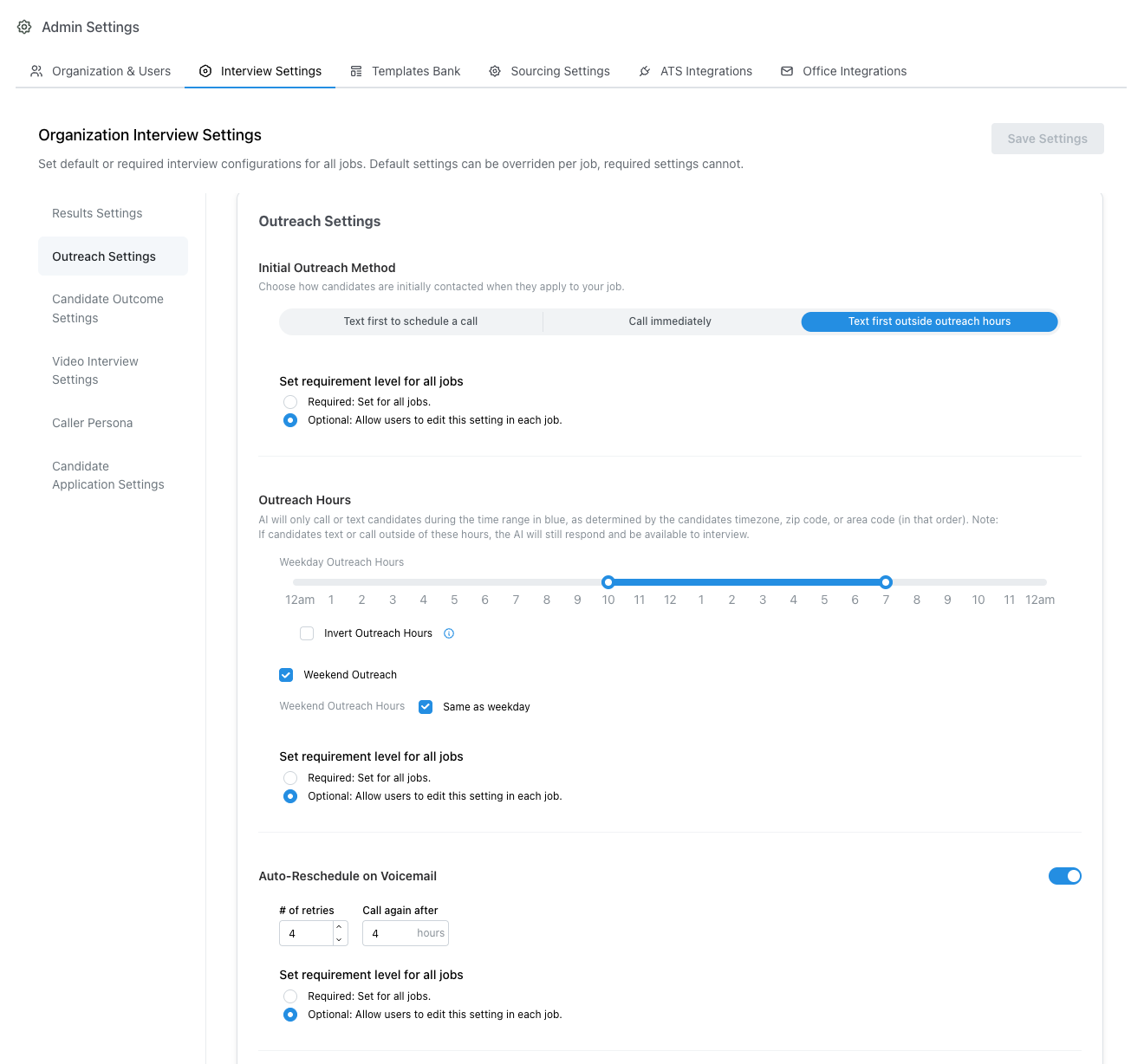
Admins may set a default or required configuration for any setting in the organization. These policies may be configured in the **Admin** page under the **Interview Settings** tab.
 ### Required vs Default Settings
Most settings may be set to either **Required** or **Default** wihtin the admin configuation page.
* **Required** settings cannot be modified on a per-interview basis. All interviews will receive the exact configuation of this setting.
* **Default** settings will be automatically set for all jobs in your organization. Default settings may be modified on a per-interview basis by users with *edit* permissions
### Examples
* If an admin sets a custom *AI Interview Name* to *Michelle* and marks the setting as **Required**, all active and future jobs will use *Michelle* as the interviewer name
* If an admin sets the schedule follow up setting to **Disabled** and marks the setting as **Required**, the schedule follow-up setting will disabled for all interviews.
Recruiters will **not** be able to toggle this setting on for any jobs while the setting is **Disabled** and **Required**.
* If an admin sets a **Delay before offering times** value in the schedule follow-up setting, new follow-up availability offers will skip interview slots before that delay has passed. Recruiters may override the value on a job unless the schedule follow-up setting is marked **Required**.
* If an admin sets the *Outreach Emails* setting to **Disabled** but **Optional**, then recruiters with edit permissions will be able to enable this setting for any interview
### Best Practices
* It is recommended to leave most settings as optional to allow recruiters flexibility to cusotmize settings on a per-job basis.
* However, we still recommend setting preferred defaults for any applicable optional setting so all new interviews automatically follow the preferred default behavior
* **Required** settings are typically reserved for policies which your company wants to ensure are always enforced. For example, enforcing compliant outreach hours or using a consistent caller name are common *required* settings.
### Required vs Default Settings
Most settings may be set to either **Required** or **Default** wihtin the admin configuation page.
* **Required** settings cannot be modified on a per-interview basis. All interviews will receive the exact configuation of this setting.
* **Default** settings will be automatically set for all jobs in your organization. Default settings may be modified on a per-interview basis by users with *edit* permissions
### Examples
* If an admin sets a custom *AI Interview Name* to *Michelle* and marks the setting as **Required**, all active and future jobs will use *Michelle* as the interviewer name
* If an admin sets the schedule follow up setting to **Disabled** and marks the setting as **Required**, the schedule follow-up setting will disabled for all interviews.
Recruiters will **not** be able to toggle this setting on for any jobs while the setting is **Disabled** and **Required**.
* If an admin sets a **Delay before offering times** value in the schedule follow-up setting, new follow-up availability offers will skip interview slots before that delay has passed. Recruiters may override the value on a job unless the schedule follow-up setting is marked **Required**.
* If an admin sets the *Outreach Emails* setting to **Disabled** but **Optional**, then recruiters with edit permissions will be able to enable this setting for any interview
### Best Practices
* It is recommended to leave most settings as optional to allow recruiters flexibility to cusotmize settings on a per-job basis.
* However, we still recommend setting preferred defaults for any applicable optional setting so all new interviews automatically follow the preferred default behavior
* **Required** settings are typically reserved for policies which your company wants to ensure are always enforced. For example, enforcing compliant outreach hours or using a consistent caller name are common *required* settings.